
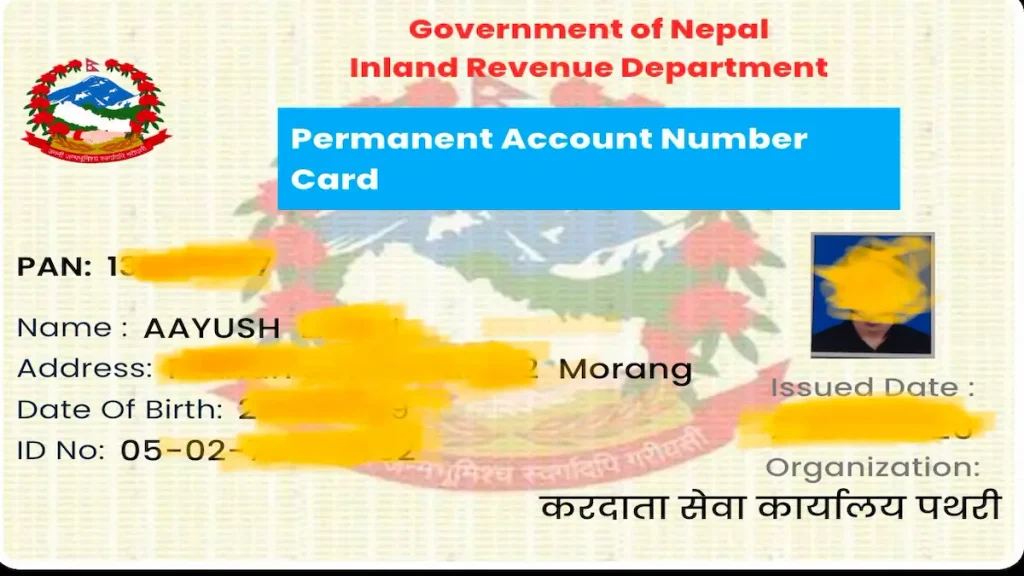
Welcome to this simple guide on how to create a PAN card in Nepal using Nagarik App in 2026. You can now apply for a PAN (Permanent Account Number) online through the Nagarik App using your mobile phone.
If you are searching for how to make a PAN card in Nepal or Nagarik App ma PAN card kasari banaune, this guide will show you the process step by step.
To apply for a PAN card online, you need to log in to the Nagarik App, enter your personal details, upload your required photo and information, select the relevant office, and submit your application.
In this guide, you will learn the 6 easy steps to create a PAN card in Nepal using the Nagarik App, along with the basic requirements and online registration process.
Table of Contents
How to Create a PAN Card in Nepal Using Nagarik App 2026?
Follow the steps below to complete your online PAN card registration through the Nagarik App.
Step 1: Download Nagarik App and Log In
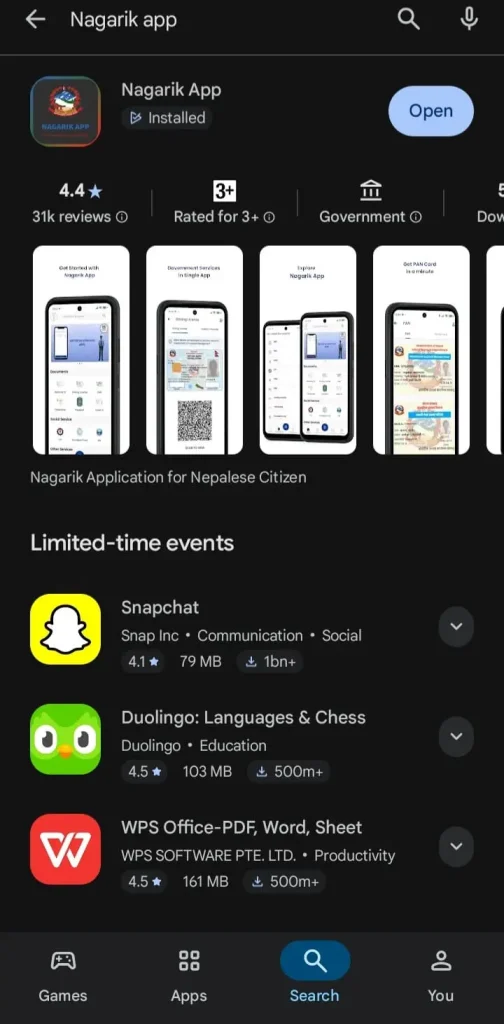
First, download Nagarik App on your mobile phone. If the app is already installed, simply open it.
If you are searching for Nagarik App download, make sure you download the official Nagarik App from the appropriate app store.
Step 2: Log in to the Nagarik App
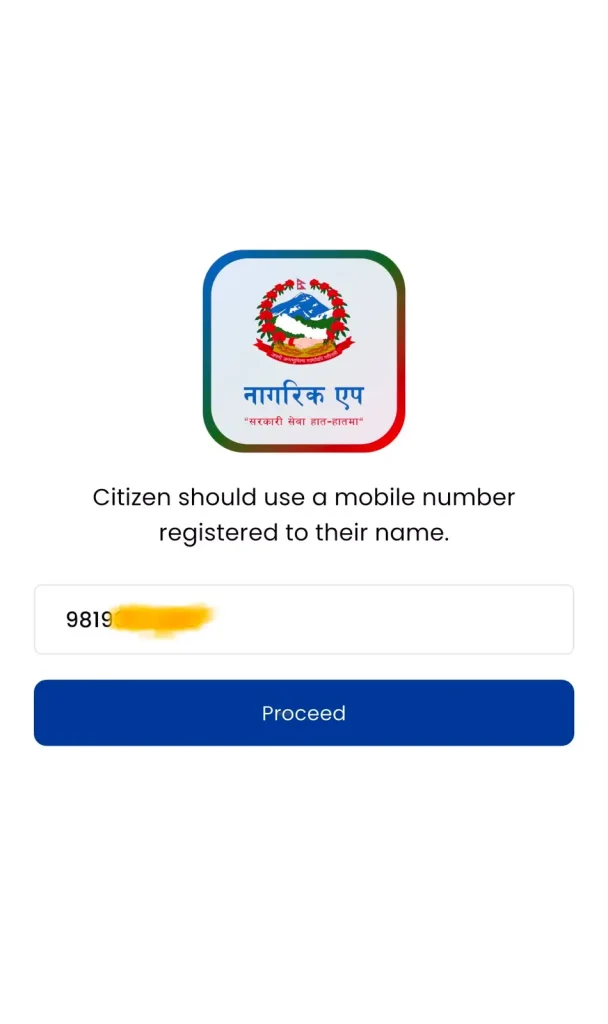
Open the Nagarik App on your mobile phone. To complete the Nagarik App login, your mobile SIM number must be registered in your own name.
Now, enter your mobile number and click “Proceed.”
After that, you will receive a code via SMS on your mobile number. Enter the code in the Nagarik App and click “Proceed” again.
After logging in, you may be asked to provide details of an available document, such as your Passport, Voter Card, Citizenship, or Driving License. Fill in your details correctly according to the document requested..
Step 3: Open the PAN Card Service
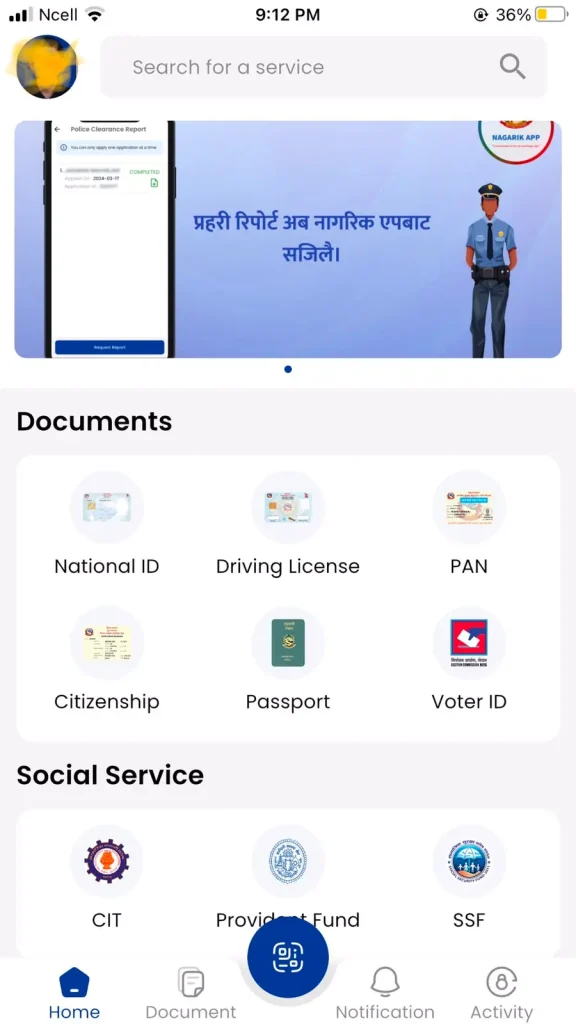
After completing the Nagarik App login, search for the PAN service or go to the Documents section.
You can find the PAN registration option through the Documents section.
Go to the Documents section in the app and click on it.
There, you will see the PAN Card option. Click on PAN Card, and you will see the To Register PAN option at the bottom.
Now, click on To Register PAN.
If you are searching for how to make pan card form nagarik app, this is the section where you can start your PAN registration process.
Step 4: Fill in the required details.
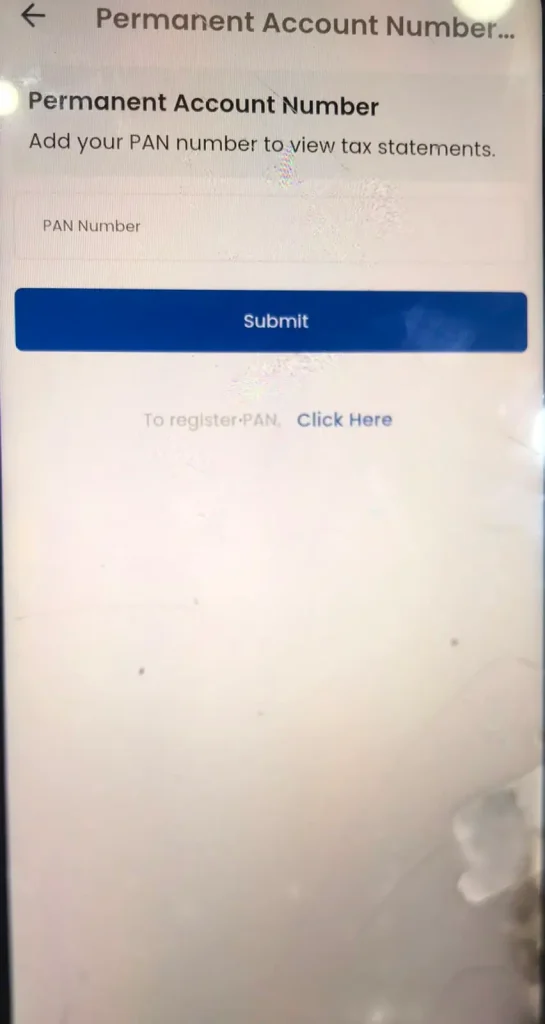
Now, a page will open where you need to enter the required details for PAN registration.
Carefully fill in your personal and other required details asked for in the application.
For online PAN card registration, make sure the information you enter matches the details on your citizenship or other official documents.
Then, upload your Passport Size Photo in the required section.
Select the relevant office that is closest to you and click Proceed.
After that, a pop-up may appear. Click Proceed on the pop-up as well.
Now, another page will open. Fill in your personal and other required details correctly and click Proceed.
If you are still wondering how to make pan card in nepal, carefully complete every required field before moving to the next step.
Step 5: Verify your details.
Now, another page will open showing all the details you have entered.
Here, carefully check your:
- Name
- Date of Birth
- Address
- Personal details
- Document information
- Other required information
Make sure all the details are correct. If there is any spelling mistake or any other personal information is incorrect, correct it before submitting the application.
Checking your information carefully is an important part of pan card registration online because incorrect information can cause problems during the application process.
Step 6: Submit the application.
After confirming that all the details are correct, click “Proceed” to complete the application process.
If you want to apply for a PAN card online, make sure you have checked your personal information and documents before submitting the application.
After submitting the application, keep the confirmation or reference information you receive safely for future use.
If you receive an Application Number or Reference Number, save it somewhere safe. your PAN will be processed according to the relevant government procedures.
The time required may depend on the application status, verification, and other government procedures.
This completes the basic process explaine. Finally you know how to create a pan card in nepal.
What Documents Are Required to Make a PAN Card?
The details required when registering for a PAN through the Nagarik App may vary depending on your account and the available government records.
Generally, you may need to provide details such as:
- Citizenship or other identification details
- Mobile number
- Personal details
- Passport Size Photo
- Address information
- Other required information
While applying, make sure to fill in the information correctly and match it with the details on your documents.
If you are searching for download pan application form here, check the current PAN registration process and requirements before downloading or submitting any separate form. When using the Nagarik App, the required information can be entered through the available online service.
Things to Keep in Mind When Applying for PAN
Pay special attention to the following things when applying for a PAN:
- Enter your name and personal details correctly.
- Make sure the details match your citizenship and other documents.
- Use a SIM card registered in your own name.
- Upload a clear Passport Size Photo.
- Select the relevant office correctly.
- Carefully check all the information before submitting the application.
- If you receive an Application or Reference Number, keep it safe for future use.
- Check that you are using the latest version of the Nagarik App when necessary.
These points can help make the online PAN card registration process easier and help you avoid common mistakes.
Frequently Asked Questions (FAQs)
How to Register for PAN Through the Nagarik App?
Log in to the Nagarik App and go to the Document Section. Then, click on the PAN Card option and select “To Register PAN.” Fill in the required details, upload your photo, select the relevant office, verify your information, and complete the application process.
How to Make PAN Card in Nepal?
In Nepal, you can complete the PAN registration process through the relevant government system. You can also start the application process online by using the PAN service available through the Nagarik App.
How to Make a PAN Card in Nepal?
you can make pan card in nepal easily. First, start the PAN registration process. Fill in the required details and documents, then submit the application. After that, you can receive your PAN according to the relevant process.
How Long Does It Take to Get a PAN?
The time required to complete the PAN process depends on the application status, verification, and the relevant government procedures.
Does It Cost Money to Make a PAN?
If you apply for a PAN Card yourself through the Nagarik App, PAN registration can be completed free of charge. However, government rules and procedures may change, so it is better to check the latest information from the relevant official source before applying.
Conclusion
Now you know How to Create a PAN Card in Nepal Using Nagarik App: 6 Easy Steps 2026, along with the basic requirements and application process.
To make a PAN through the Nagarik App, first log in using your mobile number. Then, go to “Documents → PAN Card → To Register PAN,” fill in the required details, upload your photo, select the relevant office, verify your information, and complete the application process.
If you were searching for how to make PAN form Nagarik App, nagarik app ma pan kasari banaune, or How to Make PAN Card in Nepal, you can use the steps explained above.
Now you can make pan card in Nepal.
Remember to check your name, date of birth, address, document information, and other personal details before submitting your application. Since government services and procedures can change over time, check the latest information from the relevant official source when necessary.
You May Also Like : https://ideanepalhub.com/mero-share-ipo-result/
Wow 🤩
Usefull
Thank you so much,miss, for giving us such a positive comment. ❤️
Pingback: iPhone 18 Pro Max Price in Nepal 2026: Specifications, Release Date and Features